
Windows: Font display Wing 10 vs Wing 11
Hi!
I have Windows Clear Type disabled on my Windows 11 installations.
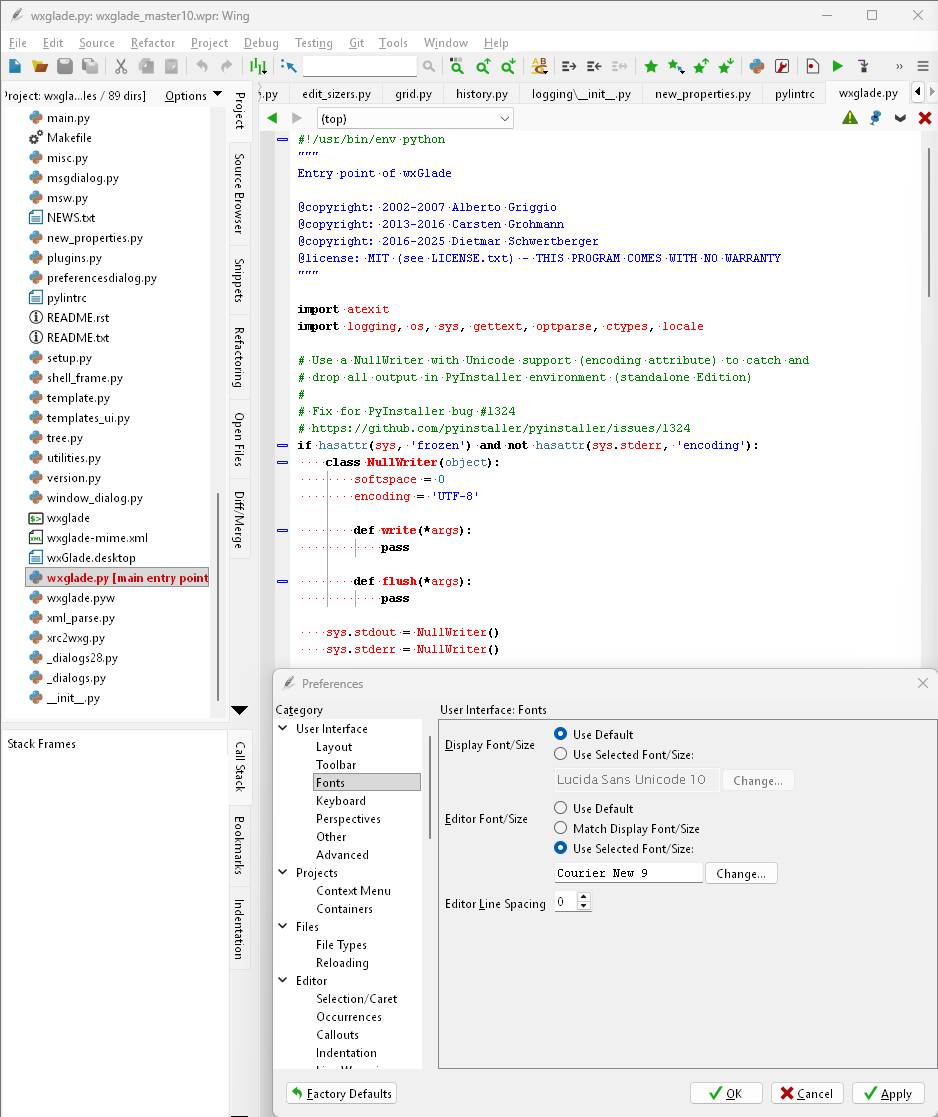
With Wing 10 I could use Courier New 9 as editor font to get a 'classic' monospace font with a line width of 1 pixel. This is quite nice to read on a screen with 100 dpi.
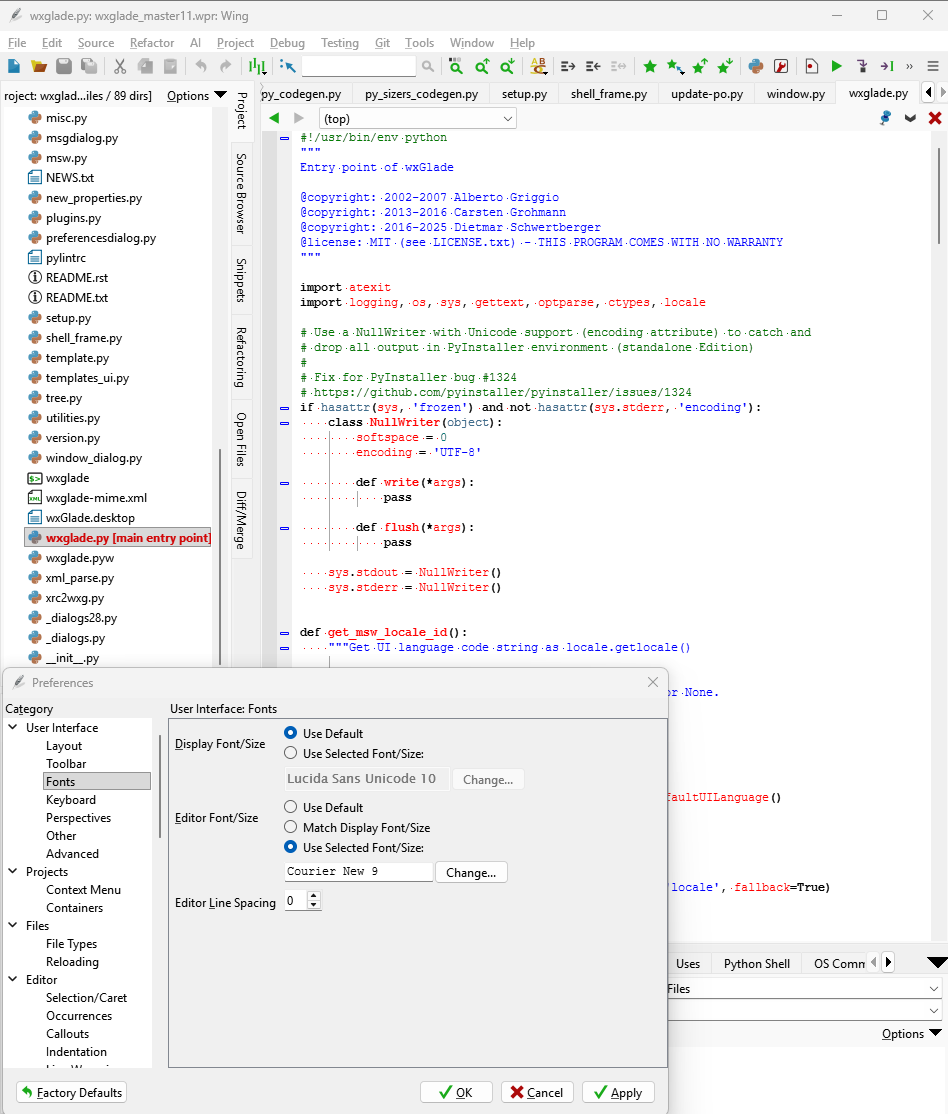
With Wing 11 I can only get an anti aliased view.
Is there a way to switch back to the old view?
Unfortunately it seems I can't upload screenshots here. The image icon above only allows to link. That's a bit odd...
Wing 10 (to be viewed at 100%):
Wing 11 (to be viewed at 100%):

Comments
I think this is due to upgrading to Qt 6.8, which uses a different font rendering back end. One idea is to try setting QT_FONT_NO_ANTIALIASING=1 in your environment before launching Wing. Can you try that and report back whether it worked? If not, we could look at adding a preference or something, although I'm not sure it'll be possible.
Thanks. No, that does not make a difference.
It could be that
fontengine=gdiwould make the difference. It's documented here: https://doc.qt.io/qt-6/qguiapplication.…Is it possible to supply such arguments?
Darn, it looks like we clear QT_QPA_PLATFORM env in our startup sequence because we need to isolated our Qt from the inherited env. That means we can't come up with a work-around. We'll need to make some sort of change so you can send that env in to Wing and then at least in theory setting QT_QPA_PLATFORM=windows:fontengine=gdi before starting Wing would solve it. I'll need to email you a file. I think we have your email, but if you don't hear from me in a while, please send an email to support@wingware.com.